

Troubleshooting Guide
Garage Door Remote Not Working? Work Through These 9 Fixes
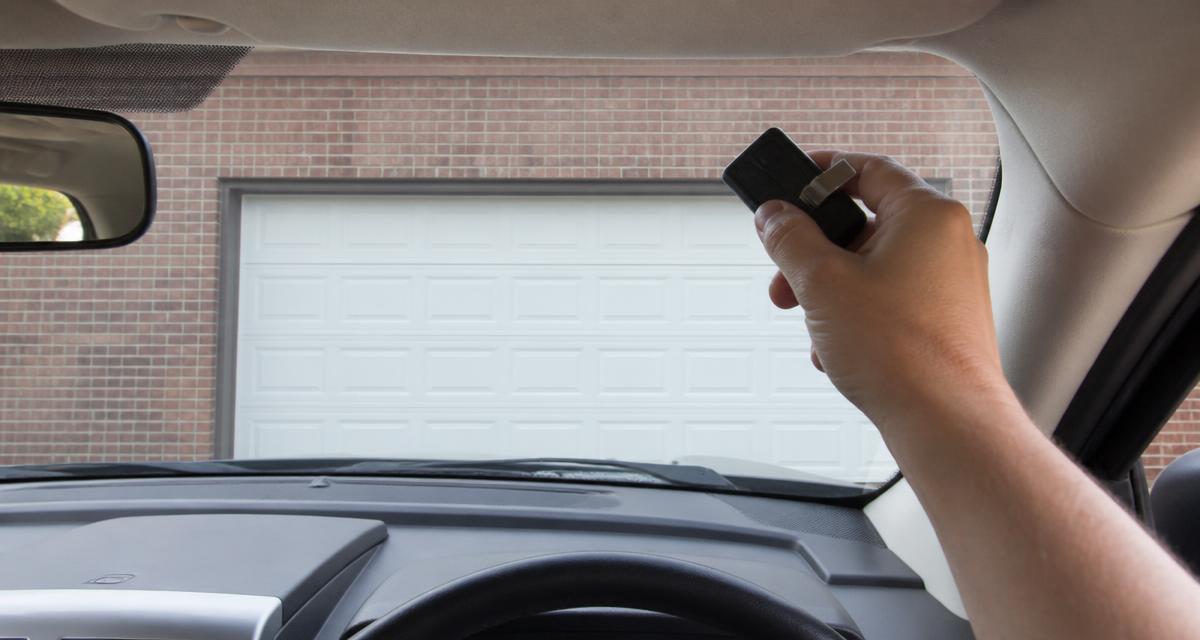
A remote that quits is annoying, but it's rarely a broken garage door. In our experience the fix is a $3 battery or a setting on the wall console more than half the time. Work down this list in order — it moves from the cheapest and most likely to the fixes that need a technician.
TL;DR
Press the wall button first. If the door opens, the opener is fine and it's a remote/radio issue: replace the battery, turn off the wall console's lock button, remove LED bulbs from the motor head, check the antenna wire, then reprogram the remote with the Learn button. If the wall button also does nothing, it's a power, logic board, or spring problem — not the remote.
1. Press the wall button first
This 5-second test splits the problem in half. If the door operates from the wall control, power, motor, springs, and safety sensors are all working — the fault is in the remote or the opener's radio receiver. If the wall button does nothing either, skip to the opener repair path instead.
2. Replace the battery (the #1 cause)
Remote batteries last about 2–3 years, and they don't fade gracefully — a remote can work Monday and be dead Tuesday. Slide or pry open the case, note the coin cell type (usually CR2032, sometimes CR2016 or a 3V A23), and install the new one with the + side facing the same way.
Cold snaps matter here too. On a 25°F Charlotte morning, a battery that's already at 70% capacity can drop below the transmit threshold, work again by noon, and fail the next morning. An intermittent remote in winter is almost always a battery.
3. Check for lockout / vacation mode
Nearly every modern wall console has a Lock or padlock button. When engaged, it disables every remote and keypad while the wall button keeps working — which is exactly the symptom people describe. Press and hold it for about two seconds; the LED stops blinking when lockout is off. Kids and cleaning crews bump this button constantly.
4. Remove LED bulb interference
Cheap LED and CFL bulbs emit broadband radio noise right in the 300–400 MHz band garage remotes use. Install one in the motor head and your range can drop from 100 feet to standing under the door. If your remote stopped working right after a bulb change, that's your culprit — swap in an incandescent or a bulb specifically rated for garage door openers.
5. Inspect the antenna wire
A thin wire should hang straight down from the motor head, about 6 inches. If it's been snipped, tucked up over the housing, or wrapped around the rail, reception collapses. Straighten it so it hangs free and clear of metal. A broken antenna wire can be soldered or replaced inexpensively.
6. Test range and line of sight
Stand 10 feet from the door and press. Then 30, then 60. If it only works up close, you have a weak signal (battery, antenna, or interference). If it doesn't work at any distance but the LED on the remote lights, the remote likely lost its programming.
7. Reprogram the remote
Power surges, board resets, and someone else erasing codes all wipe remote pairings. Reprogramming takes 30 seconds:
- Find the Learn button on the back or side of the motor unit (purple, yellow, orange, or green on LiftMaster/Chamberlain; "Program" with a round LED on Genie).
- Press and release it once — don't hold, which erases codes. An LED lights for about 30 seconds.
- Within that window, press and hold the remote button for 2–3 seconds until the opener lights flash or the motor clicks.
- Test the remote from the driveway.
Step-by-step instructions for every brand, keypads, and car HomeLink buttons are in our opener programming guide.
8. Rule out a stuck button or water damage
A remote left in a hot car, run through a wash cycle, or with a button jammed by grit will transmit continuously and drain the battery within days — and can also block your other remotes. If a button feels mushy or stays depressed, replace the remote.
9. Suspect the receiver or logic board
If a brand-new, correctly matched remote with a fresh battery still won't pair — and the Learn button LED doesn't respond at all — the receiver circuit on the logic board has failed. Lightning and brownouts are the usual cause, and Charlotte's summer storm season produces a spike of these calls every year. A board replacement typically runs $150–$300 installed; on an opener 12–15 years old, replacing the unit is usually the better spend.
Buying a replacement remote
Match the security system, not just the brand: a Security+ 2.0 remote (purple/yellow Learn button) will not pair with an older Security+ opener (orange/red). Universal remotes like the LiftMaster 375UT, Chamberlain KLIK5U, or Genie GITR-3 cover most 300–390 MHz fixed and rolling-code systems back to the early '90s and cost less than brand-matched units.
Frequently asked questions
Why did my garage door remote suddenly stop working?
The most common cause by far is a dead battery — remote batteries last 2–3 years and fail without warning. After that: the opener's wall control is in lockout/vacation mode, a new LED bulb in the motor head is jamming the radio frequency, the antenna wire is broken, or the remote lost its programming after a power surge.
How do I know if my garage door remote battery is dead?
Most remotes have a small LED that lights when you press a button. No light, or a dim flicker, means the battery is dead. If the light works but the door doesn't respond, the battery may still be too weak to transmit at full power — a remote that only works from a few feet away is the classic weak-battery symptom. Most take a CR2032 or CR2016 coin cell.
Why does my garage door remote only work up close?
Reduced range means the signal is weak or being blocked. Check three things: the battery (weak batteries transmit at low power), the antenna wire hanging from the motor head (it should hang straight down, unbroken, about 6 inches), and LED or CFL bulbs in the opener — LED bulbs emit radio interference that can cut remote range from 100 feet to 10.
My wall button works but the remote doesn't. What's wrong?
That confirms the motor, springs, and power are fine — the problem is the radio path. Either the remote is dead or unprogrammed, the opener's receiver/antenna is faulty, or the wall control's lock button is engaged. Many wall consoles have a 'Lock' or padlock button that disables all remotes; hold it for two seconds to toggle it off.
How do I reset and reprogram my garage door remote?
Press and release the Learn button on the back of the motor unit, then within 30 seconds press and hold the remote button until the opener lights flash. To wipe all remotes first (useful after buying a home), hold the Learn button about 6 seconds until the LED goes out, then reprogram each remote.
Can I use a universal remote with my garage door opener?
Yes, in most cases. Universal remotes such as the LiftMaster 375UT, Chamberlain KLIK5U, or Genie GITR-3 support the common 300–390 MHz fixed and rolling-code frequencies used since the early 1990s. Check the Learn button color or the DIP switch bank inside the motor cover to confirm compatibility before buying.
How much does it cost to fix a garage door remote problem?
A battery is a few dollars. A replacement remote runs roughly $30–$60. If the opener's logic board or receiver has failed, board replacement typically runs $150–$300 installed — at which point, on an opener over 12–15 years old, replacing the whole unit is often the better value.
Related reading
- How to program a garage door opener & remote
- How do garage door openers work?
- Opener repair guide (Charlotte)
- Opener repair services
Tried everything and it still won't respond?
We diagnose receivers, logic boards, and wiring on site — flat-rate written pricing before any work starts, same-day across Charlotte and the Carolinas.
Ready to fix it?
Still no response after reprogramming? The receiver or logic board is usually the culprit.
- Opener repairLogic boards, gears, sensors and remotes fixed on site.
- New opener installationLiftMaster belt-drive openers installed and programmed.